Jim Rossman: I wish more sites used passkeys
Published in Science & Technology News
I had to download a new insurance card today. In Texas, to get our cars registered, we have to show proof of insurance.
Back in the day, we’d get new proof of insurance cards twice a year. They’d show our expiration date and which cars were covered. I always kept one in my wallet and I’d stick one in my wife’s wallet.
These days insurance companies offer those cards electronically. I can download them from the company’s website and load them into the wallet app on my phone.
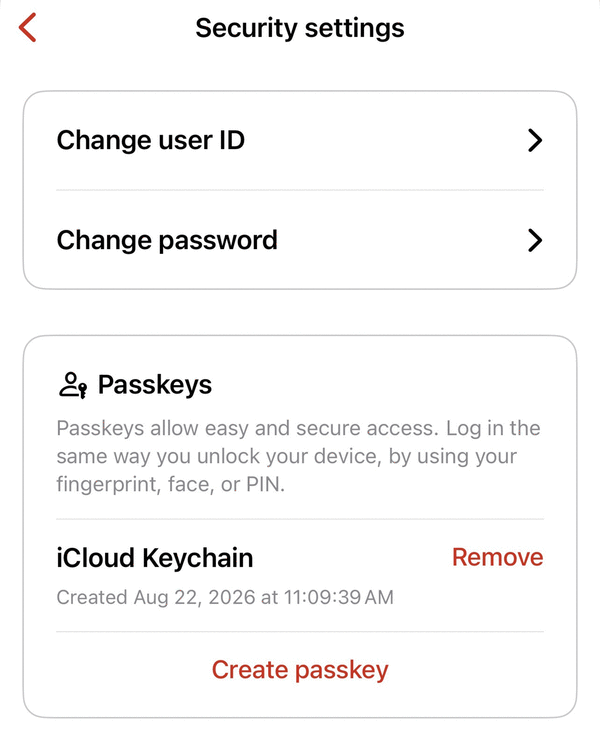
The insurance card on my phone had expired, so I want to the website to get the new one. The login page offered to help me set up a passkey to access my account.
I was happy to see the passkey option, as it means I won’t have to remember a password to log into my insurance company website.
What’s a passkey?
Simply put, a passkey is an authentication method that uses another device (like your phone) to log into a website. Passkeys are a replacement for passwords. They use public-key cryptography that lets you sign in with a phone, computer, fingerprint, face recognition or a device PIN.
In my case, the State Farm website and my iPhone negotiated the setup using facial recognition. Now when I go to the State Farm website, I can use facial recognition on my iPhone instead of typing in a password.
During the passkey setup, I was asked where I’d like to store the passkey. My options were in Google Chrome or in the Apple Passwords app.
I sync my Apple Passwords data to iCloud, so I chose that option. That way, I can use those passwords and passkeys on other devices if I lose my iPhone or buy a new one.
The passkey login takes only a second or two. But there are a few verification steps involving public and private keys that are passed between your phone and the website to facilitate the successful login.
Passkeys are safer than passwords. A phishing attempt might present you with a fake web page or link to try to get you to input your password to steal it. If you’ve moved over to a passkey, there is no longer a password, and a scammer won’t be able to initiate the passkey authentication sequence.
So next time you are offered the chance to switch a login from password to a passkey, it’s a good idea to say yes.
©2026 Tribune Content Agency, LLC.






Comments